

Add a form to your Carrd site
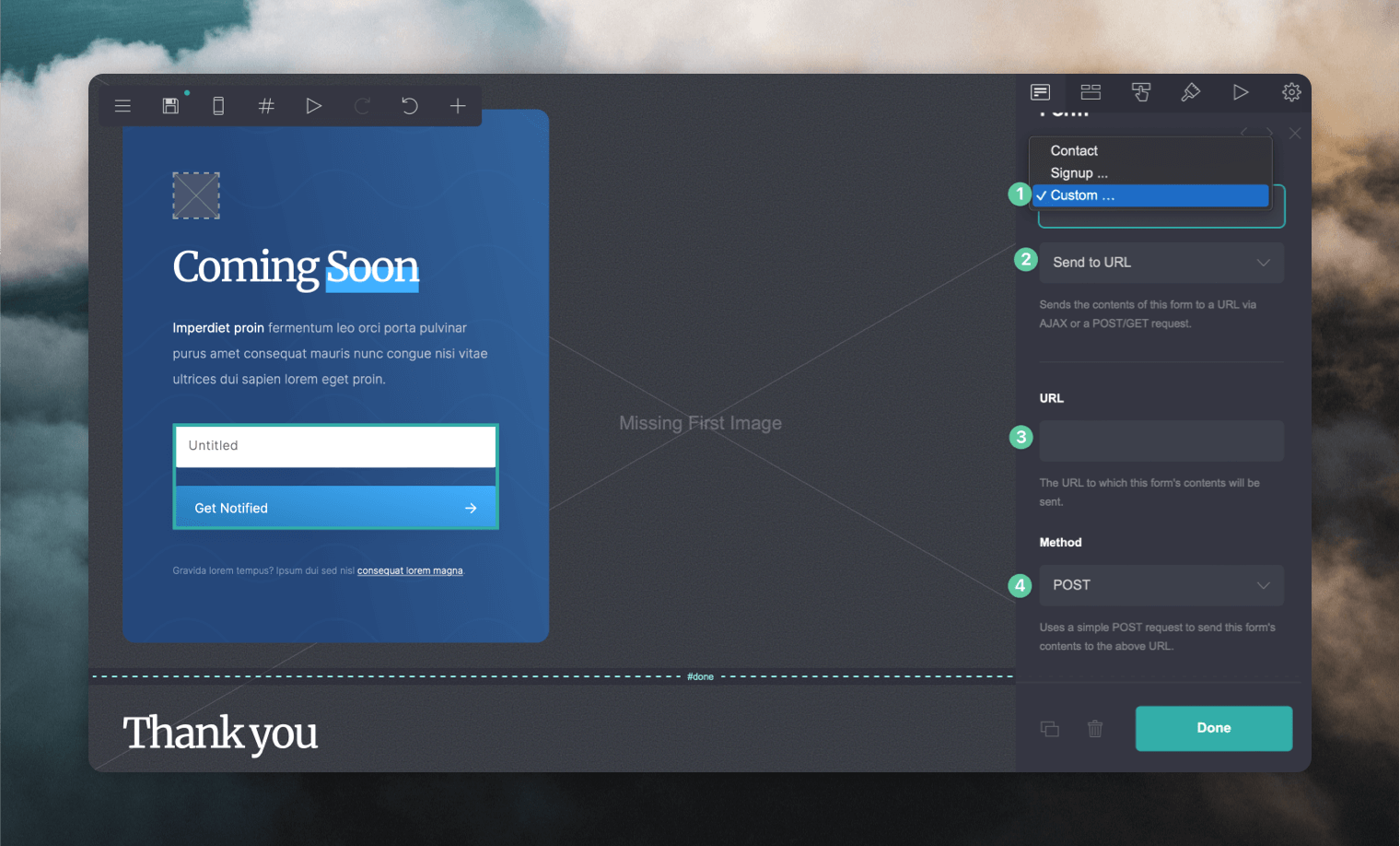
- Add a form to your site and select the Custom option.
- Select Send to URL and paste in your form endpoint from the Forms page in Loops.
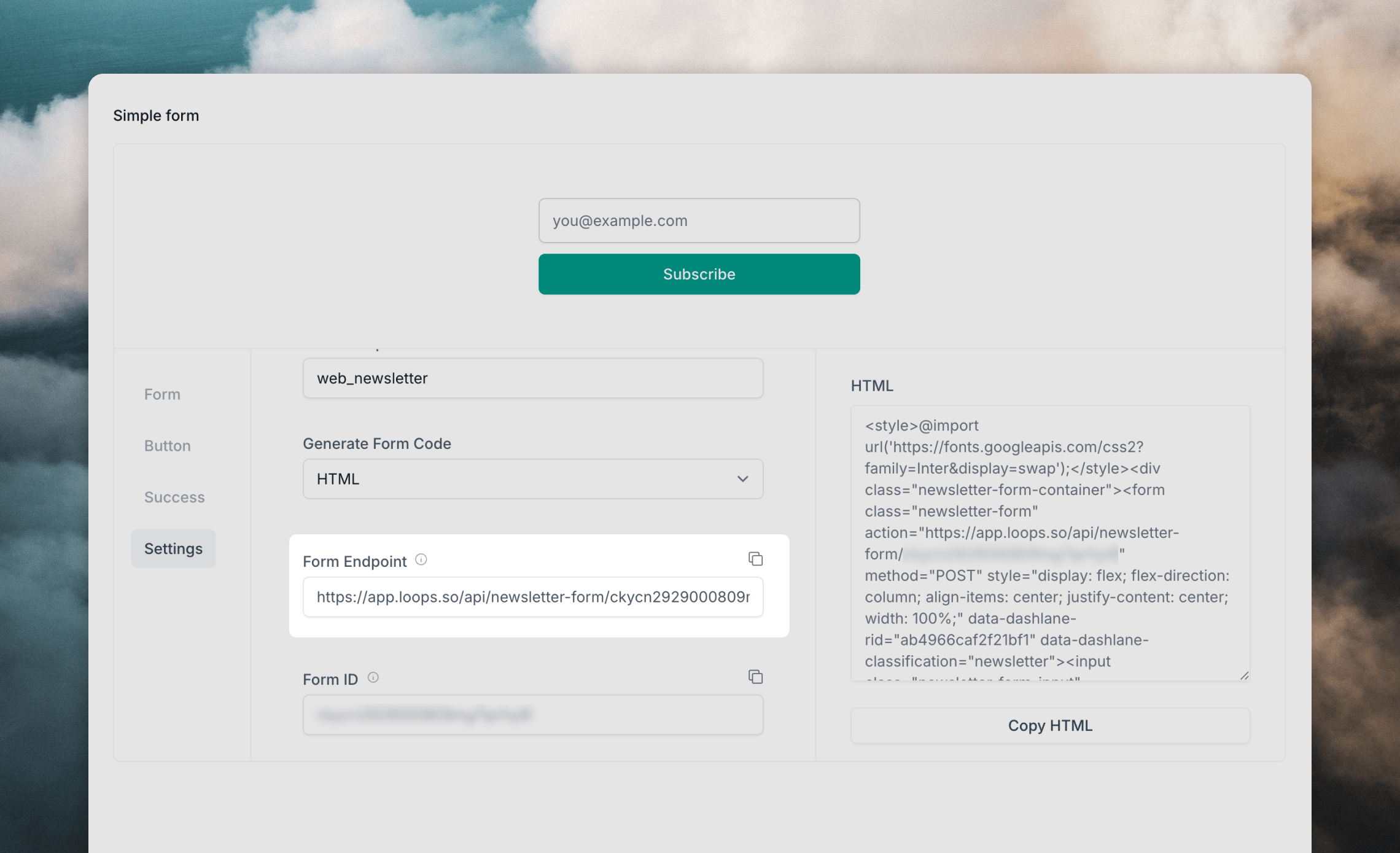
- Paste the form endpoint you copied from into the URL input in Carrd.
- Change the Method to “AJAX” and the Format to “JSON”.
Customizing the form
In addition to collecting the email address, you can also collect any other contact property you want.- Follow Carrd’s documentation to add a new field to your form
- Determine your preference:
- A hidden field that is set to a static value
- A value that your user can set
- Assign the field an “ID” matching the Loops API property name that you want to set. You can check the full list of your available properties from your API Settings page.
userGroup.
To add subscribers to specific mailing lists, add a field with an ID mailingLists. The Value can be a single mailing list ID or if you want to add subscribers to multiple lists, a comma-separated list of IDs.