> ## Documentation Index
> Fetch the complete documentation index at: https://loops.so/docs/llms.txt
> Use this file to discover all available pages before exploring further.
# Filters and Segments
> How to send emails to specific groups of contacts and save segments for future use.
After you have added contacts to your audience in Loops, you may want to create workflows or send campaigns to certain groups of contacts.
You can do this with filters and segments.
 ## Audience filters
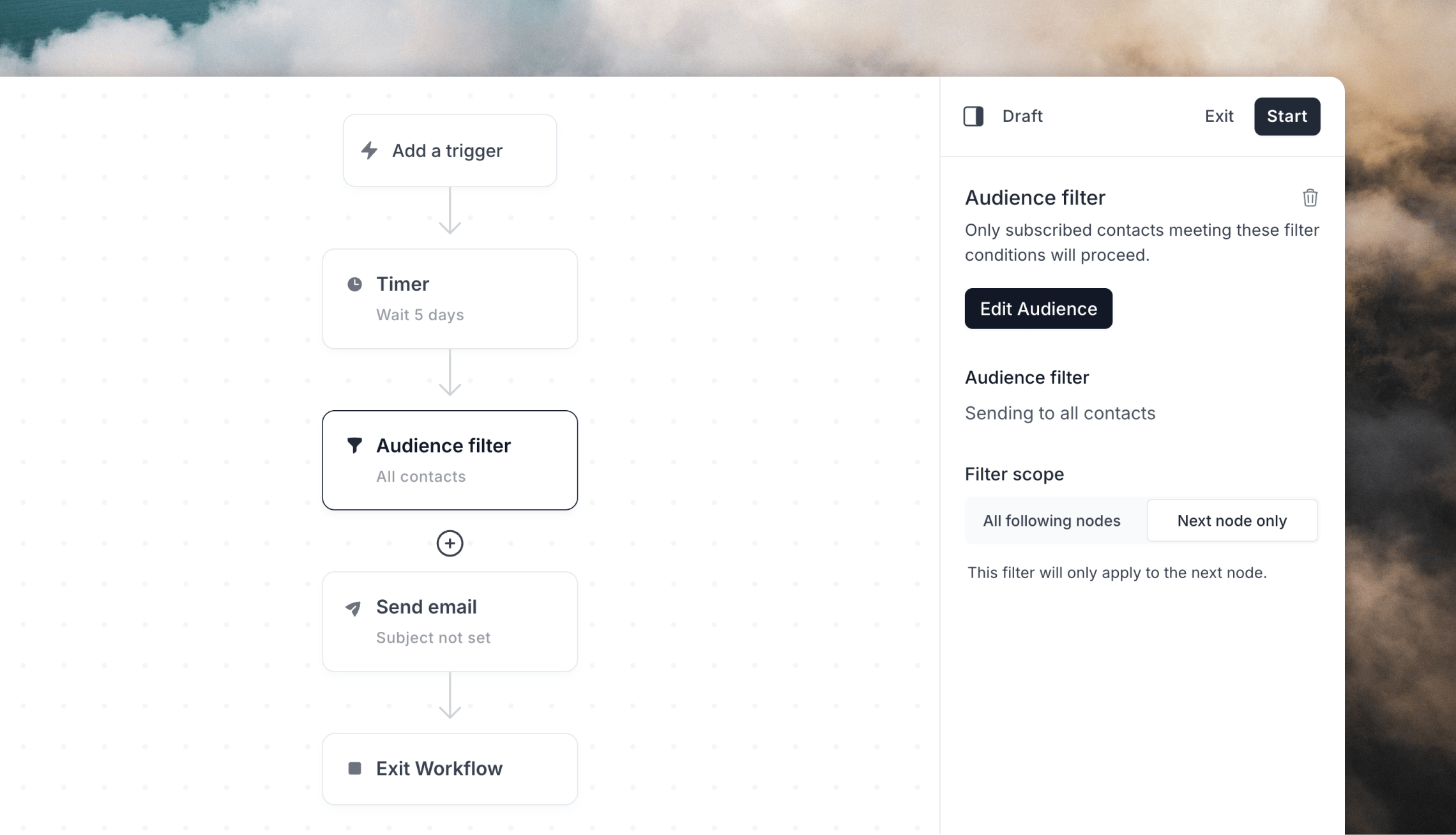
When sending [campaigns](/docs/types-of-emails#campaigns) or emails inside [workflows](/docs/workflows), you can send to specific groups of contacts in your audience.
Choosing these contacts is done using filters, which are based on two sets of data:
* [contact properties](/docs/contacts/properties) (either default properties or custom properties you've added to your audience)
* **contact activity** from your campaigns and workflows (sends, not sent
status, opens and clicks)
For example, you can use filters to build segments like:
* contacts with a specific domain in their email address
* contacts who were added via a specific source
* contacts who were sent a specific campaign
* contacts who were not sent a specific campaign
* contacts who opened or clicked a specific campaign or workflow email
* contacts who didn't open a specific email within one of your workflows
## Audience filters
When sending [campaigns](/docs/types-of-emails#campaigns) or emails inside [workflows](/docs/workflows), you can send to specific groups of contacts in your audience.
Choosing these contacts is done using filters, which are based on two sets of data:
* [contact properties](/docs/contacts/properties) (either default properties or custom properties you've added to your audience)
* **contact activity** from your campaigns and workflows (sends, not sent
status, opens and clicks)
For example, you can use filters to build segments like:
* contacts with a specific domain in their email address
* contacts who were added via a specific source
* contacts who were sent a specific campaign
* contacts who were not sent a specific campaign
* contacts who opened or clicked a specific campaign or workflow email
* contacts who didn't open a specific email within one of your workflows
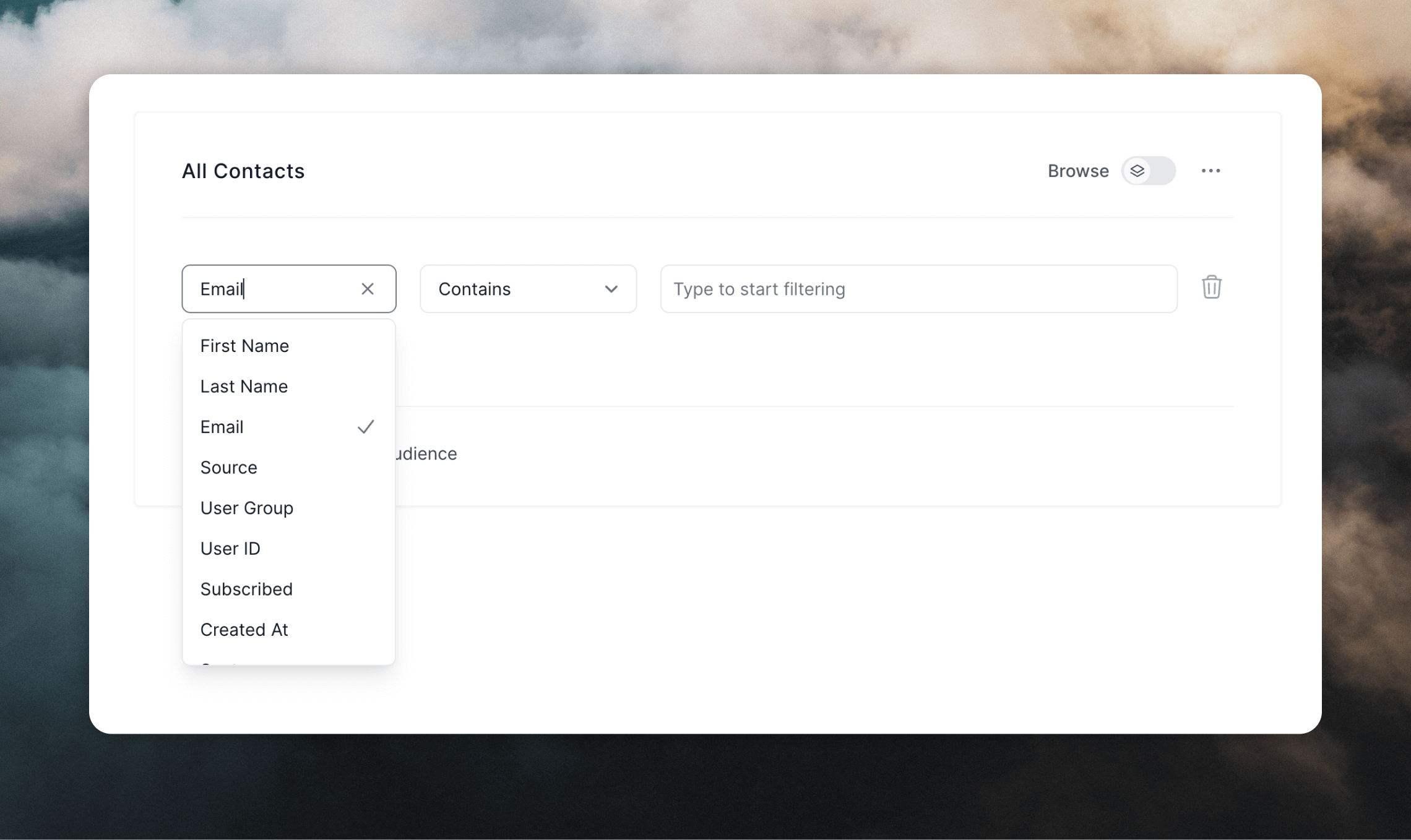 You can add multiple filters at once, and you can also choose to apply *all filters* ("All of these are true") or *any filter* ("Any of these are true").
Audience filters are automatically updated as contact properties are changed. This means that your emails will only send to contacts that match the filter at the time the email is sent.
## Activity filters
Activity filters let you segment contacts based on campaign and workflow email
activity:
* **Sent**: contacts who were sent a campaign or workflow email.
* **Not sent**: contacts who were not sent a selected campaign or workflow
email.
* **Opened**: contacts who opened a campaign or workflow email.
* **Clicked**: contacts who clicked a tracked link in a campaign or workflow
email.
For example, you can use **Not sent** to build a segment of contacts who have
not received a selected campaign yet, then save that filtered audience as a
segment.
If you want to measure whether a campaign drove a business outcome, use
[goals](/docs/goals/overview) instead of treating opens or clicks as the primary
engagement signal.
Transactional emails do not track opens or link clicks. Activity filters for
opens and clicks apply to campaign and workflow emails.
## Audience segments
Segments are just filters that are saved in your Loops account for the future. This makes them easily reusable between different workflows and campaigns.
You can create segments while sending campaigns or workflows, or directly on the [Audience page](https://app.loops.so/audience).
To create a segment, first filter the audience table and then click **Save segment**.
You can add multiple filters at once, and you can also choose to apply *all filters* ("All of these are true") or *any filter* ("Any of these are true").
Audience filters are automatically updated as contact properties are changed. This means that your emails will only send to contacts that match the filter at the time the email is sent.
## Activity filters
Activity filters let you segment contacts based on campaign and workflow email
activity:
* **Sent**: contacts who were sent a campaign or workflow email.
* **Not sent**: contacts who were not sent a selected campaign or workflow
email.
* **Opened**: contacts who opened a campaign or workflow email.
* **Clicked**: contacts who clicked a tracked link in a campaign or workflow
email.
For example, you can use **Not sent** to build a segment of contacts who have
not received a selected campaign yet, then save that filtered audience as a
segment.
If you want to measure whether a campaign drove a business outcome, use
[goals](/docs/goals/overview) instead of treating opens or clicks as the primary
engagement signal.
Transactional emails do not track opens or link clicks. Activity filters for
opens and clicks apply to campaign and workflow emails.
## Audience segments
Segments are just filters that are saved in your Loops account for the future. This makes them easily reusable between different workflows and campaigns.
You can create segments while sending campaigns or workflows, or directly on the [Audience page](https://app.loops.so/audience).
To create a segment, first filter the audience table and then click **Save segment**.
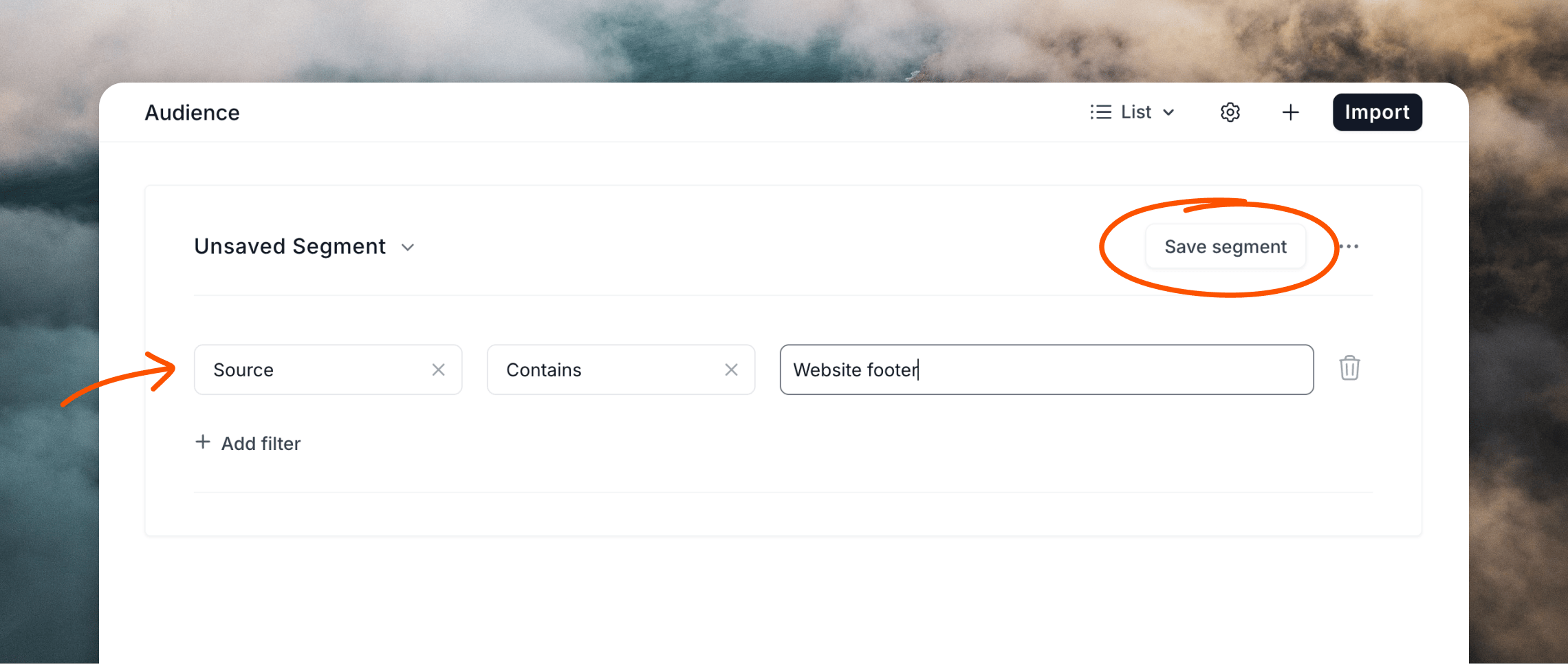 You will be prompted to add a name for your segment, then click **Finish**.
Your new segment will then be available in a dropdown whenever you filter your audience for campaigns or workflows.
You will be prompted to add a name for your segment, then click **Finish**.
Your new segment will then be available in a dropdown whenever you filter your audience for campaigns or workflows.
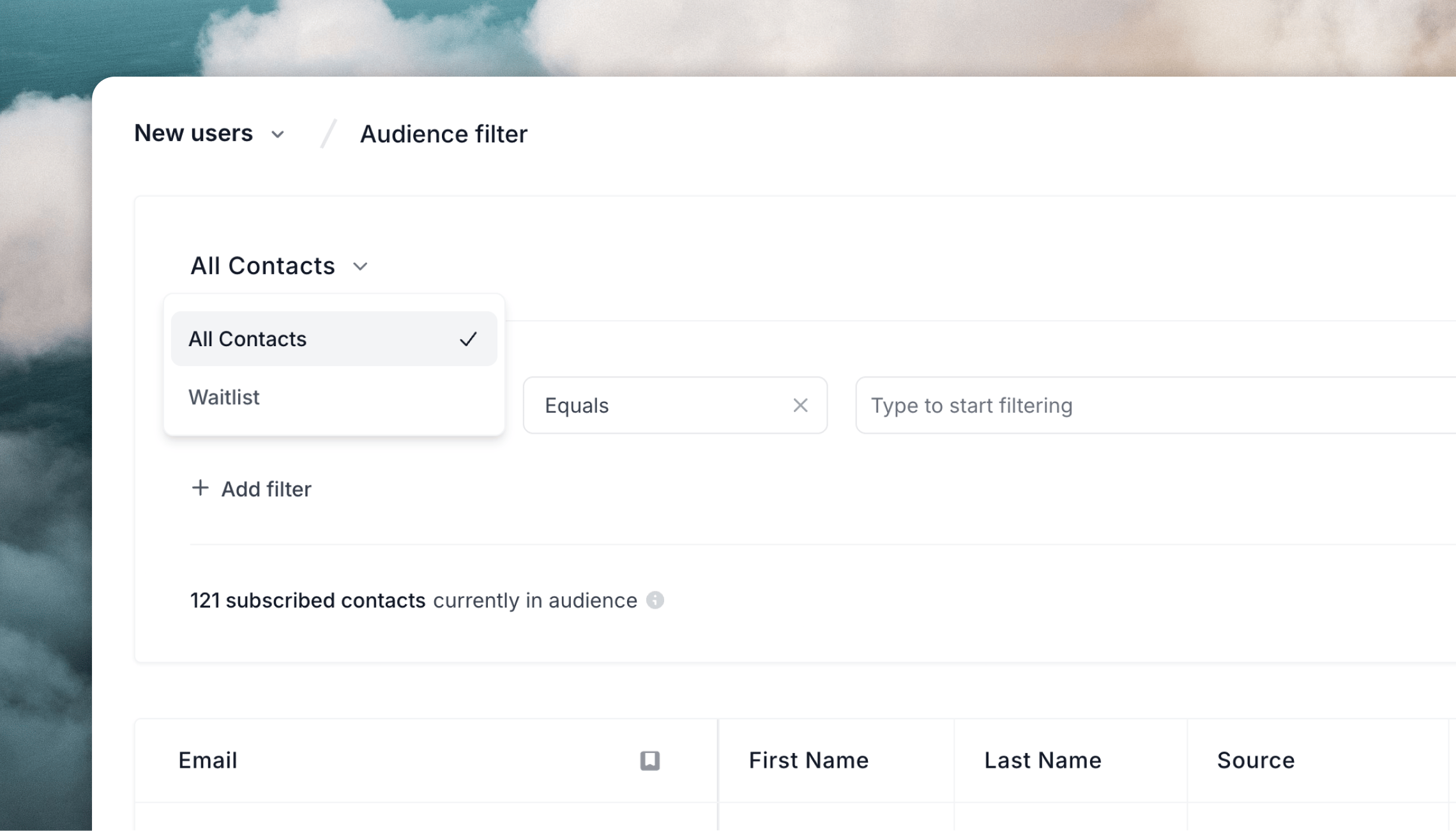 Just like filters, segments are automatically updated when contact data is changed, meaning emails always send to the correct contacts at the time the email is sent.
## Related topics
- [Export contacts](/docs/contacts/export-contacts.md)
- [Segment](/docs/integrations/segment.md)
- [Get an audience segment](/docs/api-reference/get-audience-segment.md)
- [List audience segments](/docs/api-reference/list-audience-segments.md)
- [Recipe: Active 30-day users segment](/docs/guides/active-30-day-users.md)
Just like filters, segments are automatically updated when contact data is changed, meaning emails always send to the correct contacts at the time the email is sent.
## Related topics
- [Export contacts](/docs/contacts/export-contacts.md)
- [Segment](/docs/integrations/segment.md)
- [Get an audience segment](/docs/api-reference/get-audience-segment.md)
- [List audience segments](/docs/api-reference/list-audience-segments.md)
- [Recipe: Active 30-day users segment](/docs/guides/active-30-day-users.md)